
Find the right plant, even without a photo.
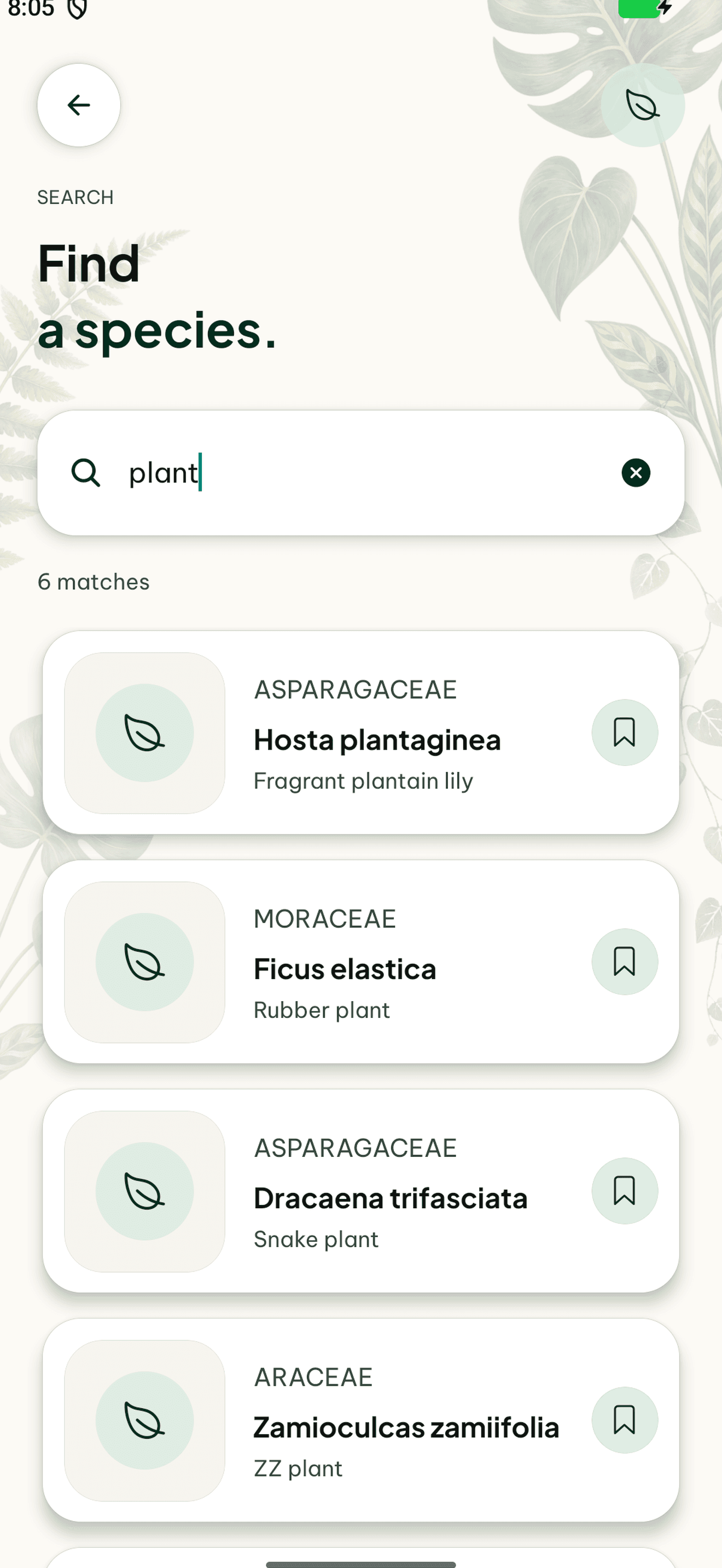
Already know a name? Plantly’s species search gives you another way to find a plant. Look up a species and keep its information with your own plant profile.
In this article

Start with a name
Search is useful when you have a plant label or already know the species. Review the available names, images, and species information before choosing a result. A matching word alone does not establish that two plants are the same species.
From species to your own plant
A species describes a kind of plant; your profile represents the actual plant in your home. Keep its location, photos, care, and notes separately, even when several plants in your collection share the same species.
How to get started
Search for the name
Use the species search when adding or looking up a plant.
Compare the result
Review its name and available species information.
Keep the plant in your collection
Connect the species to an individual profile with its own location and history.
Frequently asked questions
Do I need a photo to find a species?
No. Species search works with a name. Photo identification is an alternative when you do not know what to search for.
Is a species entry the same as my plant?
No. Each plant in your collection has its own profile and history, even if several belong to one species.