
Keep a little family history as your collection grows.
A cutting starts a new plant and continues an existing story. Plantly connects cuttings to parent plants in a family tree while keeping their individual profiles, locations, and care separate.
In this article
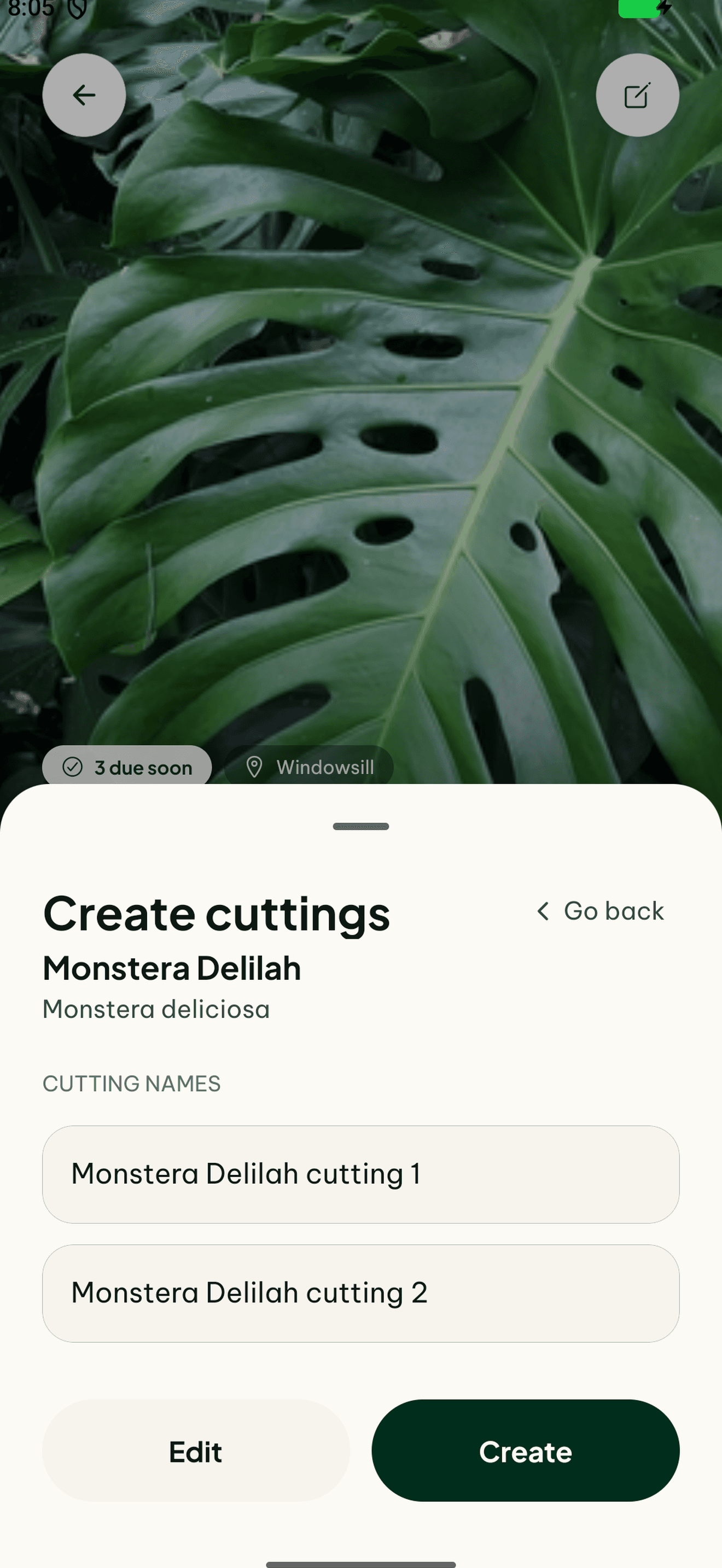

Remember where a cutting came from
Linking a propagated plant to its parent preserves a relationship that is easy to lose in separate notes. The family tree gives that part of the collection a structure you can return to as more plants are added.
Let each plant have its own story
A shared origin does not mean identical care or conditions. Keep the cutting’s own location, photos, notes, and care on its profile. That way you can follow its progress without mixing its observations with the parent plant’s history.
How to get started
Open the parent plant
Start with the plant your cutting came from.
Connect the cutting
Use the cutting and family-tree options to preserve the relationship.
Keep its own records
Give the new plant a location and document its progress separately.
Frequently asked questions
Does a cutting keep a separate profile?
Yes. The family tree records the relationship while individual profiles keep care and observations apart.
Is this a propagation guide?
This feature organizes the relationship between plants. The right propagation method still depends on the species.