
Identify plants from photos with Plantly.
Plantly is a plant identification app for Android that suggests a species from a photo of a leaf, flower, fruit, or bark. Identification connects to a saved plant profile, so you can move from “what is this plant?” to keeping its care, location, and history together.
In this article
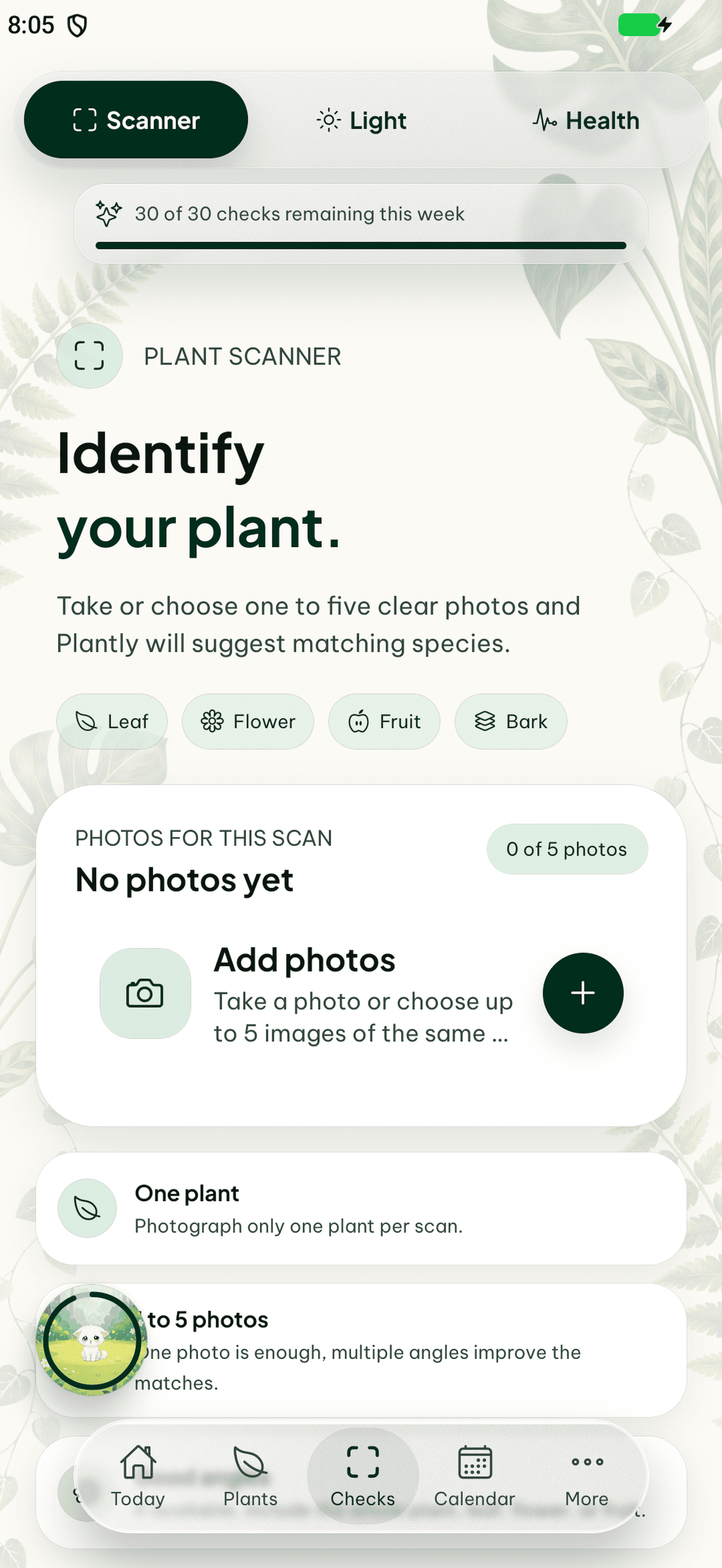

What can the plant scanner identify?
The scanner accepts different parts of a plant: leaves, flowers, fruit, and bark. Choose the photo type that matches what you can see. A clear image of the plant part is more useful than a distant picture with several plants in the frame. Species search gives you another route when you already know a name or do not have a suitable photo.
How to take a useful identification photo
Put one plant part in focus, use enough light to show its shape and texture, and avoid covering it with your hand. If the suggested species does not look right, compare its details with the plant and try a clearer photo of another visible part. A photo match is a starting point for identification; similar species and poor images can lead to an incorrect suggestion.
Keep the identification with the plant
After identifying a plant, keep its species and location in a plant profile instead of losing the result in your photo gallery. Plantly connects that profile to care reminders, health checks, and a journal. This is useful when you own several similar plants: each one can have its own room, exact spot, care history, and progress photos.
How to get started
Open the scanner
Use plant identification and choose a leaf, flower, fruit, or bark photo.
Review the suggested species
Compare the match with the actual plant. Retake the photo or use species search if it does not fit.
Save the plant
Keep the species with a plant profile, assign its location, and continue with care reminders or a journal.
Frequently asked questions
Can Plantly identify a plant without a flower?
Yes. You can use leaf, fruit, or bark photos as well as flower photos. The quality and visible details of the photo affect the suggested match.
Is a photo identification guaranteed to be correct?
No. Results are species suggestions. Do not use a photo match to decide whether a plant is edible, non-toxic, or safe for people or pets.
Can I search for a plant by name?
Yes. Plantly includes species search, so a photo is not the only way to find a species for your collection.