
A place for everything about your plant.
A Plantly profile brings the details of one plant together: its species, location, care, and personal history. It connects general species information with the plant that actually lives in your home.
In this article
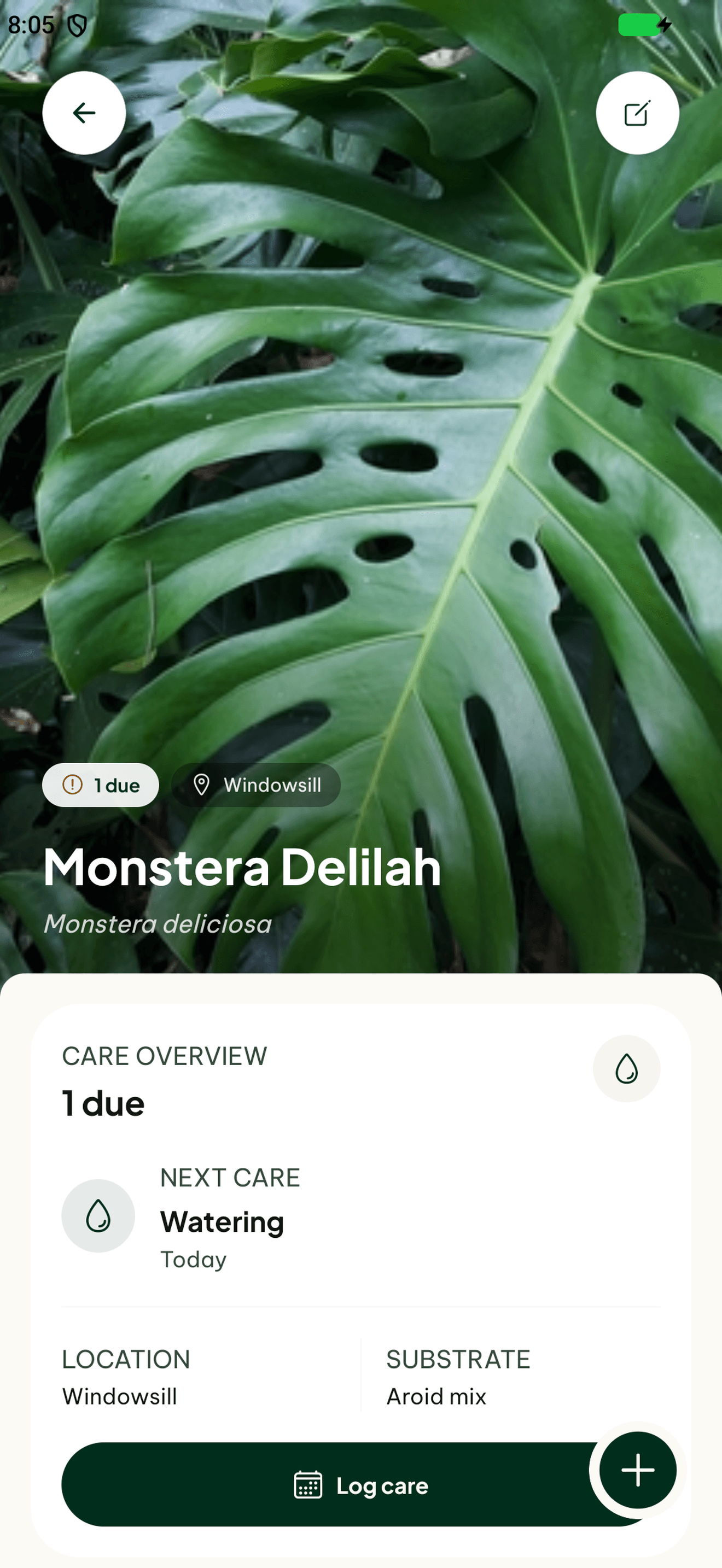

One profile for one plant
Two plants of the same species can live in different rooms and have different care histories. Individual profiles keep them apart. Add your own photos and a location so you can recognize the right plant when checking its care or opening its journal.
Keep the useful details connected
Species information, care needs, and available pet-safety context sit alongside your own records. Photos, notes, and completed care give later questions a history. Update the location when the plant moves so those observations stay connected to the right place.
How to get started
Add your plant
Choose a species or use photo identification as a starting point.
Make the profile yours
Add a location and your own photo.
Keep it current
Record care and observations as the plant grows or moves.
Frequently asked questions
Can similar plants have separate profiles?
Yes. Each saved plant has its own location, care, and history.
Does a profile replace my own observations?
No. Keep checking the actual plant and use the profile to organize what you know about it.